Introduction: Why Fast Charging Matters in 2026
Fast charging has become one of the most important features in modern smartphones, especially as users rely heavily on their devices for work, entertainment, and communication throughout the day. In 2026, smartphone usage has reached a level where people expect their devices to charge quickly and efficiently without long waiting times. Whether you are a content creator, gamer, or a business user, slow charging can disrupt your entire workflow and productivity. That is why understanding how to enable fast charging on Android is not just a convenience—it is a necessity.
Many Android users do not realize that their phones already support fast charging, but the feature is either disabled, misconfigured, or not working due to incorrect usage habits. Hidden settings, incompatible chargers, background apps, and battery optimization issues can all impact charging speed. This guide will walk you through everything you need to know, including hidden settings, troubleshooting steps, and optimization techniques to ensure your phone charges as fast as possible.
By the end of this article, you will not only know how to enable fast charging but also how to maximize it safely without damaging your battery. This comprehensive guide is designed to be beginner-friendly yet detailed enough for advanced users looking to optimize performance and improve device efficiency.
What is Fast Charging and How Does It Work?
Fast charging is a technology that allows your smartphone battery to charge at a much higher speed compared to standard charging methods. It works by increasing the power (wattage) delivered to your phone through a compatible charger and cable. Most modern Android devices support fast charging technologies such as Quick Charge, USB Power Delivery (PD), or proprietary systems developed by manufacturers.
When you plug in a fast charger, your phone communicates with the adapter to determine how much power it can safely handle. During the initial charging phase, the phone draws more power, allowing the battery to charge rapidly up to around 50–70 percent. After that, the charging speed slows down to prevent overheating and extend battery life. This intelligent charging process ensures both speed and safety.
However, fast charging is not always automatically enabled. Some devices require specific settings to be turned on, while others depend on system optimization. Additionally, using a low-quality cable or non-compatible charger can limit charging speed, even if your phone supports fast charging. Understanding how this technology works helps you identify issues and optimize your device effectively.
Check if Your Android Phone Supports Fast Charging
Before trying to enable fast charging, it is important to confirm whether your Android device actually supports it. Not all smartphones come with fast charging capabilities, especially older or budget models. You can check this by reviewing your phone’s specifications on the manufacturer’s website or in the user manual.
Most modern Android devices from brands like Samsung, Xiaomi, Oppo, and OnePlus include fast charging support. Look for terms such as “Fast Charging,” “Quick Charge,” “Turbo Charge,” or “Adaptive Fast Charging.” If your phone includes any of these, then it is capable of charging at higher speeds when used with compatible accessories.
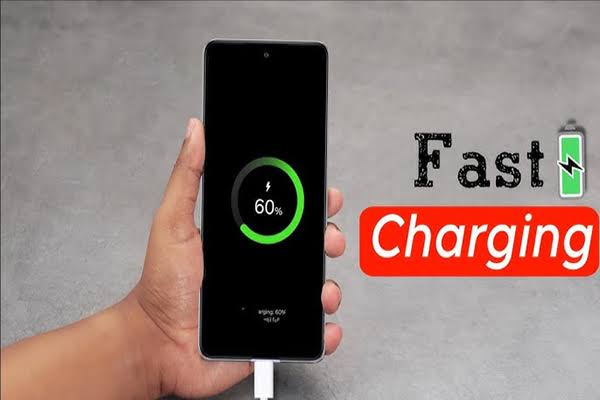
Another way to verify is by plugging in your charger and checking the lock screen. Many Android phones display messages like “Fast Charging,” “Charging Rapidly,” or “Super Fast Charging.” If you only see “Charging,” then fast charging may not be enabled or supported. In such cases, you may need to adjust settings or upgrade your charger and cable.
Understanding your device’s capabilities is the first step toward unlocking its full charging potential and avoiding unnecessary troubleshooting.
Enable Fast Charging from Android Settings
One of the easiest ways to enable fast charging is through your phone’s settings. Many Android devices include built-in options that control charging speed, but these settings are often hidden or disabled by default.
To enable fast charging, go to your phone’s Settings menu and navigate to the Battery or Device Care section. Look for options like “Fast Charging,” “Adaptive Fast Charging,” or “Charging Settings.” Once you find it, simply toggle the feature on. Some devices may also offer additional options such as “Super Fast Charging” or “Wireless Fast Charging.”
It is important to note that not all Android versions display these settings in the same location. In some cases, you may need to use the search bar within settings to find “fast charging.” Enabling this option ensures your device uses maximum supported power when connected to a compatible charger.
Additionally, keeping your phone’s software updated can improve charging performance. Manufacturers often release updates that optimize battery management and charging efficiency. Always ensure your device is running the latest version of Android to get the best results.
Use the Right Fast Charger and Cable
Even if your phone supports fast charging, using the wrong charger or cable can prevent it from working properly. This is one of the most common reasons why users experience slow charging despite having compatible devices.
To enable fast charging effectively, you must use an original or certified charger that matches your phone’s power requirements. For example, if your phone supports 25W fast charging, using a 10W charger will significantly reduce charging speed. Similarly, using a low-quality or damaged cable can limit power delivery and affect performance.
Always choose chargers that support modern standards like USB Power Delivery (PD) or Quick Charge. High-quality cables with proper insulation and fast charging support are equally important. Investing in reliable accessories not only improves charging speed but also protects your device from potential damage.
Using the correct combination of charger and cable ensures your phone receives the optimal amount of power, enabling fast charging to work efficiently and safely.
Turn Off Background Apps to Boost Charging Speed
Background apps can consume battery power even while your phone is charging, which reduces overall charging efficiency. If multiple apps are running simultaneously, your device may struggle to charge quickly because energy is being used instead of stored.
To improve charging speed, close all unnecessary apps before plugging in your charger. You can do this by accessing the recent apps menu and clearing everything. Additionally, disabling background processes for non-essential apps can further enhance performance.
Many Android devices also include battery optimization settings that allow you to restrict background activity. Enabling these features ensures that apps do not drain power unnecessarily while your phone is charging.
By minimizing background usage, your phone can focus entirely on charging, resulting in faster and more efficient power delivery.
Enable Airplane Mode While Charging
One simple yet highly effective trick to enable faster charging is to turn on Airplane Mode. When Airplane Mode is activated, your phone disables all wireless connections, including mobile data, Wi-Fi, and Bluetooth. This significantly reduces power consumption.
With fewer processes running in the background, your device can charge more quickly because less energy is being used. This method is especially useful when you need to charge your phone quickly in a short amount of time.
While this may not be a permanent solution, it is a practical trick for emergencies or situations where fast charging is essential. Combining Airplane Mode with other optimization techniques can noticeably improve charging speed.
Avoid Using Your Phone While Charging
Using your phone while it is charging can slow down the process significantly. Activities like gaming, streaming videos, or browsing social media consume power, which reduces the amount of energy going into the battery.
To enable fast charging effectively, it is best to leave your phone idle while it charges. This allows the battery to receive maximum power without interruptions. If you must use your phone, try to limit heavy tasks that require high processing power.
Reducing usage during charging not only improves speed but also helps maintain battery health over time.
Keep Your Phone Cool During Charging
Temperature plays a crucial role in charging performance. If your phone becomes too hot, the system may automatically reduce charging speed to prevent damage. This is a safety feature designed to protect the battery.
To ensure fast charging works properly, keep your phone in a cool environment. Avoid placing it under direct sunlight or on heat-generating surfaces. Removing the phone case while charging can also help dissipate heat more effectively.
Maintaining optimal temperature conditions allows your device to charge at maximum speed without triggering thermal limitations.
Update Your Software for Better Charging Performance
Software updates often include improvements related to battery management and charging efficiency. If your phone is not charging quickly, it may be due to outdated software.
Check for system updates in your phone’s settings and install the latest version available. Updated software can fix bugs, improve compatibility with chargers, and enhance overall performance.
Keeping your device updated ensures you are benefiting from the latest optimizations and features provided by the manufacturer.
Common Reasons Fast Charging is Not Working
There are several reasons why fast charging may not work on your Android device. These include incompatible chargers, damaged cables, outdated software, or disabled settings. Identifying the root cause is essential for resolving the issue.
Sometimes, dirt or debris in the charging port can also affect connectivity. Cleaning the port carefully can restore proper functionality. Additionally, battery health can impact charging speed, especially if the battery is old or degraded.
Understanding these common issues helps you troubleshoot effectively and restore fast charging functionality.
Conclusion: Maximize Your Android Charging Speed
Enabling fast charging on Android is not just about turning on a setting—it requires the right combination of hardware, software, and usage habits. By following the steps outlined in this guide, you can significantly improve your phone’s charging performance and reduce downtime.
From using the correct charger to optimizing background apps and maintaining proper temperature, every factor plays a role in achieving maximum charging speed. Implementing these strategies ensures your device remains efficient, reliable, and ready for daily use.