
How to Log in to Instagram Without a Username and Password
With more than a billion downloads worldwide, Instagram remains one of the most popular social media platforms today. Since Facebook acquired it in 2012, Instagram has expanded far beyond photo sharing, now offering private messaging, live streaming, and long-form video content.
Losing access to your Instagram account can be stressful—especially if you’ve forgotten your username or password. Fortunately, Instagram provides several recovery options that allow you to regain access without knowing your original login details.
Why You May Need to Reset Your Instagram Password
Most people only think about changing their Instagram password after they’ve forgotten it. However, knowing how to reset your password is essential for both convenience and security.
Instagram’s private messages often contain personal conversations, photos, and sensitive information. For businesses, influencers, and entrepreneurs, Instagram may also serve as a key marketing and sales channel. Losing access to your account could mean lost revenue, broken communication, and damaged credibility.
Regular password changes and proper recovery knowledge help ensure uninterrupted access to your account.
What Happens If Your Instagram Account Is Hacked?
A hacked Instagram account can cause more damage than many people expect. Once attackers gain access, they often change the password and lock the original owner out entirely.
This can result in:
- Unauthorized messages sent to your contacts
- Deleted or altered posts and profile information
- Scam links shared from your account
- Lost trust from followers or customers
For businesses, this disruption can lead to financial losses and damage to brand reputation. That’s why knowing how to recover your account—even without login credentials—is critical.
How to Log in to Instagram Without a Username or Password
If you don’t remember your username or password, Instagram allows account recovery using your email address, phone number, or linked Facebook account.
You can reset your login details either through the mobile app or a web browser.
How to Reset a Forgotten Instagram Password
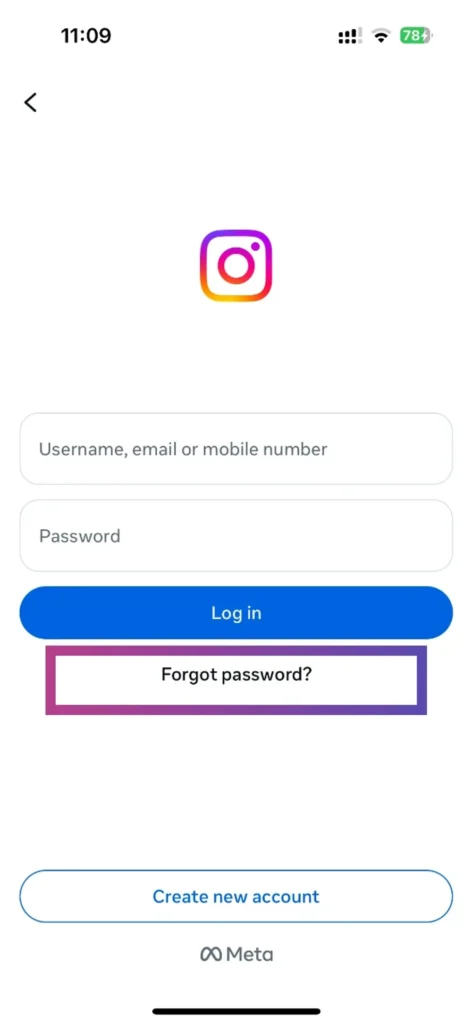
If you’ve forgotten your password, follow these steps:
- Open the Instagram app or visit the Instagram login page in a browser.
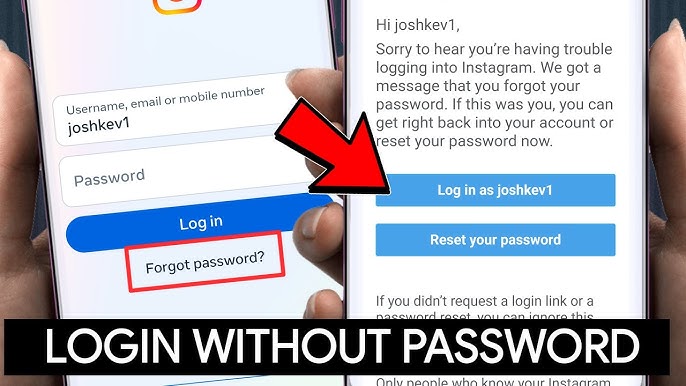
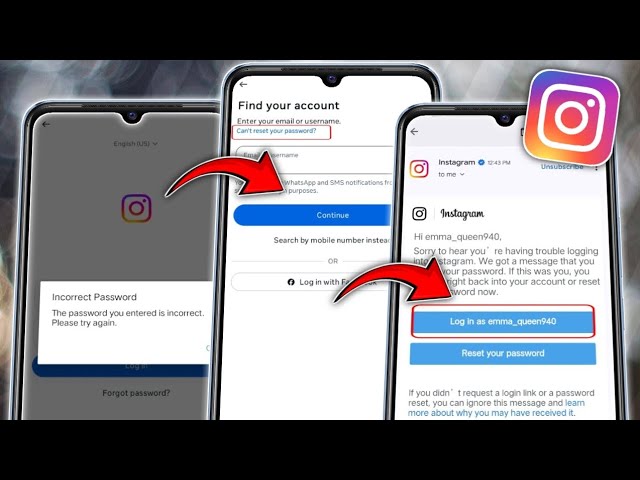
- Tap “Forgot password?” or “Get help logging in.”
- Enter your email address, phone number, or username (if remembered).
- Instagram will send a login or reset link to your email or phone.
- Open the message and follow the instructions to create a new password.
Once completed, you’ll be able to log back into your account without your old password.
How to Reset Your Instagram Password Using Facebook
If your Instagram account is linked to Facebook, this is one of the easiest recovery methods:
- Open the Instagram app.
- Tap “Forgot password?” on the login screen.
- Select “Log in with Facebook.”
- Log into your Facebook account if prompted.
- Follow the on-screen steps to reset your Instagram password.
This method works even if you don’t remember your Instagram username.

Instagram Login
How to Change Your Instagram Password in the App
If you’re already logged in and simply want to update your password:
- Open the Instagram app.
- Tap your profile icon in the bottom corner.
- Tap the ☰ menu and go to Settings.
- Select Security → Password.
- Enter your current password, then your new one.
- Tap Save or Change Password.
This process works the same on both Android and iOS devices.
How to Change Your Instagram Password on Desktop
You can also change your password from a computer:
- Visit Instagram in your web browser.
- Click your profile icon and select Profile.
- Click the Settings (gear) icon.
- Choose Change Password.
- Enter your current and new password.
- Click Change Password to confirm.
Password Protection Best Practices
Strong password habits are your first line of defense against account theft. To keep your Instagram secure:
- Avoid reusing passwords across multiple websites
- Use long, complex passwords with symbols and numbers
- Change your password regularly
- Enable two-factor authentication
- Consider using a password manager
Password managers generate strong passwords and store them securely, so you never have to worry about forgetting your login details again.
Final Thoughts
You don’t need your Instagram username or password to regain access to your account. With recovery options like email, phone number, and Facebook login, Instagram makes it possible to get back in quickly and securely.
Knowing these steps ahead of time can save you stress, protect your personal data, and ensure you never lose access to one of your most important social platforms.
